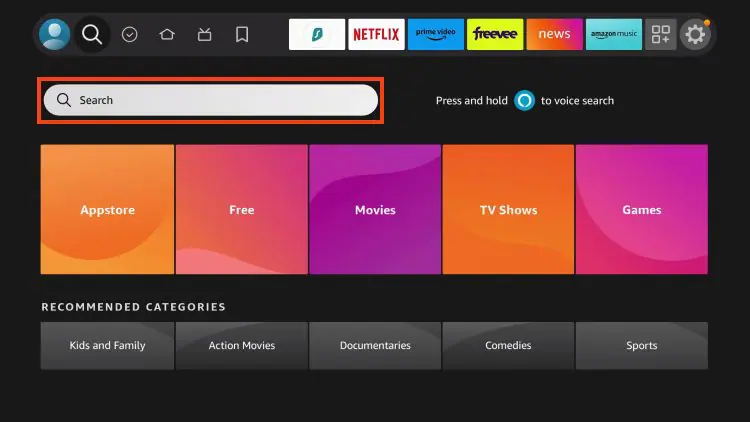
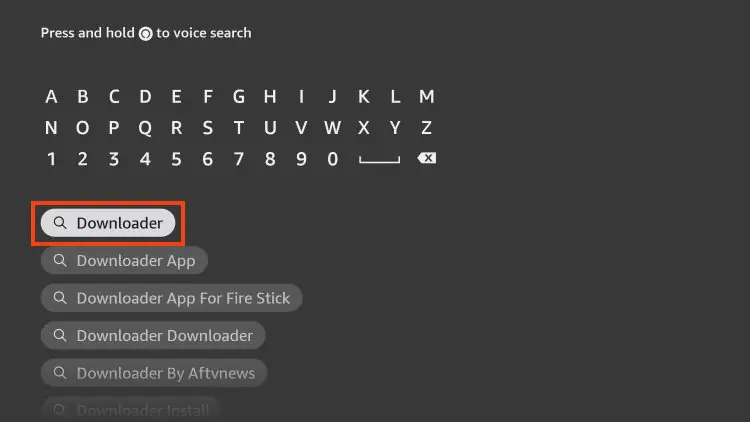
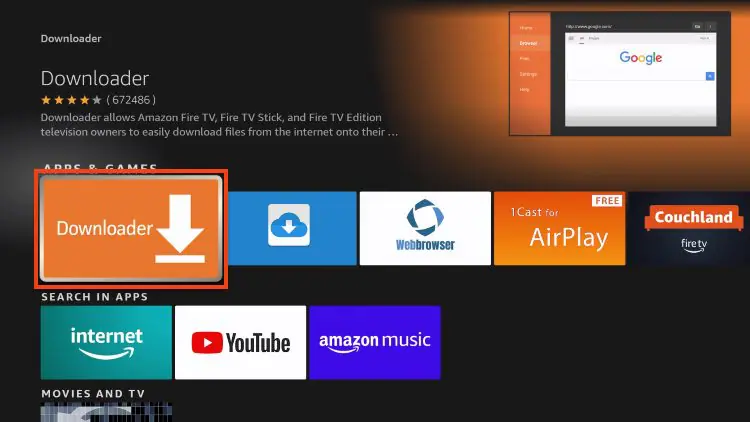
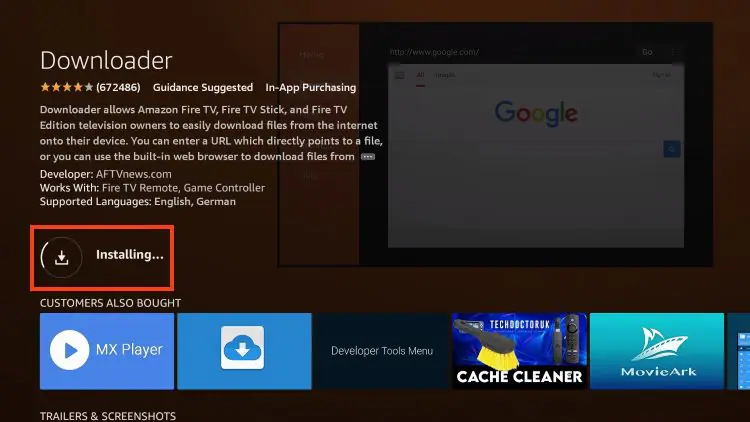
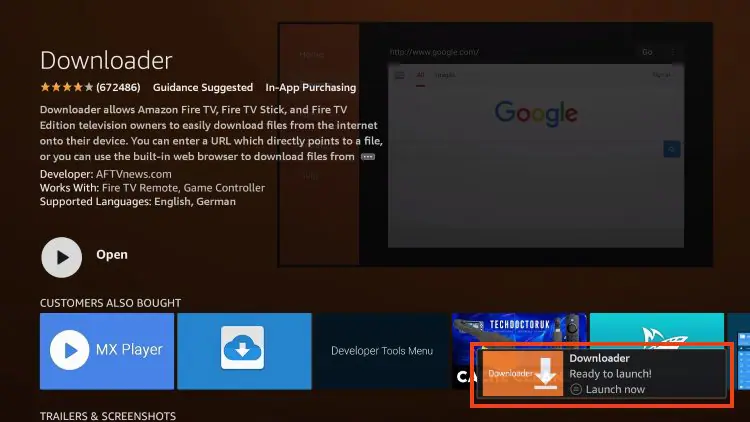
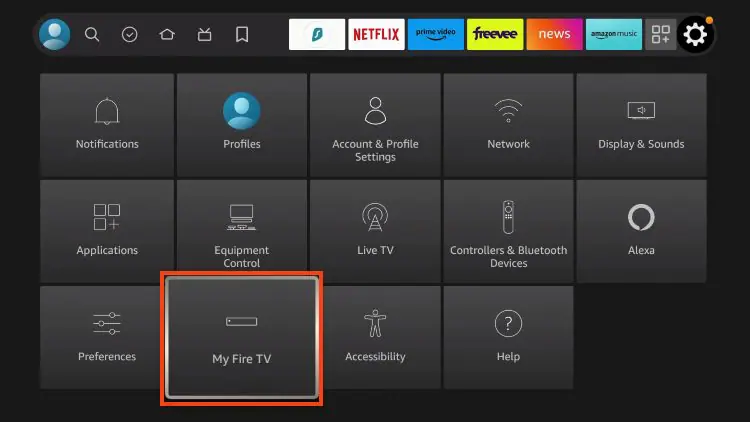
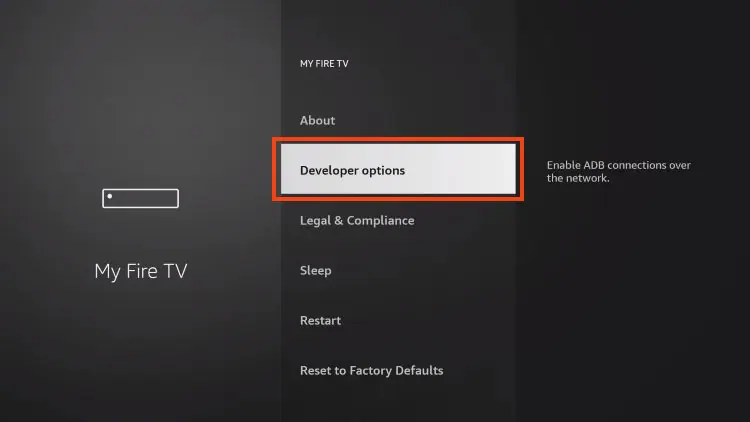
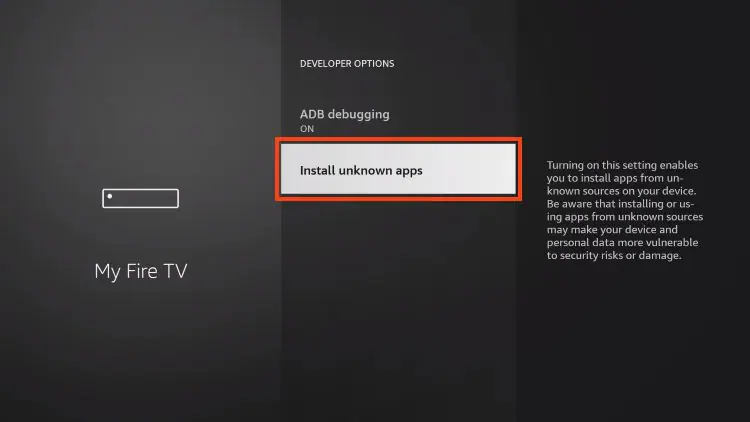
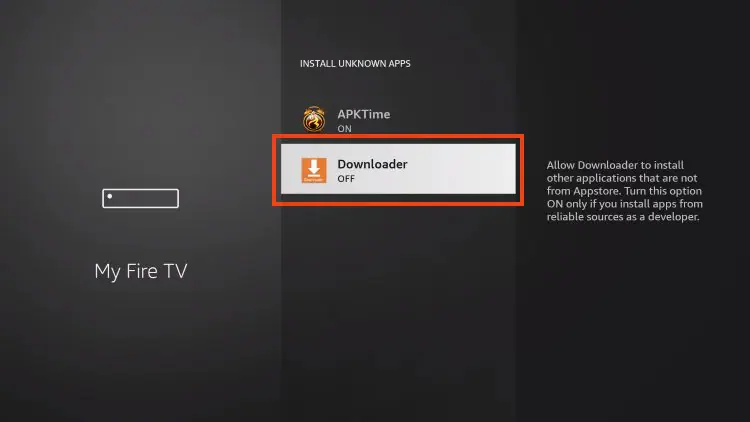
Streaming IPTV Experience breathtaking 4K visuals on any device, at any place, at any time. Discover an expansive library with over 30,000 channels and more than 140,000 VOD options, all backed by a reliable 100% uptime guarantee. Buy Subscription TUTORIAL Supported Devices How to Install Downloader Step 1 Install Downloader From the home screen of your device, hover over the Find button and then click the Search box. Step 2 Search for Downloader Step 3 Chose the Downloader App Step 4 Click Download or Get Step 5 Wait for App to install Step 6 Downloader Ready to Launch Step 7 Return to the home screen go to Settings and click My Fire TV Step 8 Choose Developer Options Step 9 Click Install unknown apps Step 10 Find Downloader app and click it